

Let’s start getting our hands dirty, building a Spring project from the scratch can be a very challenging process. This is because the developers need to decide which dependencies the project will use, and then they need to build and set up the application infrastructure, such as the configuring the XML configuration file, install and configure Java, install an application server such as Tomcat, Weblogic, WebSphere, etc. This is the nightmare of the configuration because if we miss or configure something incorrectly, we will encounter numerous errors that will require a significant amount of time and effort to correct.
Note. We already review what is a dependency in Spring. However, here the term “dependency” refers to the libraries, APIs or JAR files that the Spring project requires.
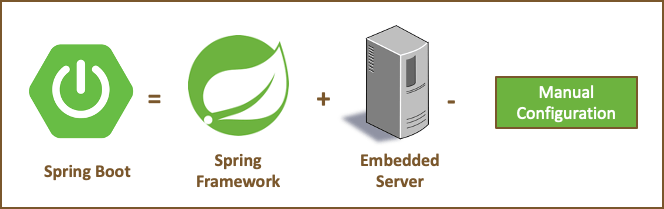
To avoid this nightmare, Spring has the Spring Boot project, that offers a quick way to create an Spring project. It makes getting easy to start with the application development, because Spring project allows the developers and programmers skip the manual configuration. The best feature of Spring boot is its auto-configuration feature whereby all the dependencies are added into the classpath project, besides of have an Tomcat server embedded and the best all the Manual Configuration is removed, this includes the XML configurations, yeiiiiiii!!!!

Spring Initializr
Spring Initializr is one way to create a Spring Boot project, where we can simply select the dependencies and create a basic project structure with a Maven or Gradle build specification. This project is available for download in the form of a zip file to be used in a variety of IDEs like Eclipse or IntelliJ etc.
You only need to go to start.spring.io and provide some basic information about the project, add the dependencies that are necessary for the project. You can follow our tutorial “Steps to create a Spring Project” where we show how to use Spring Initializr to create a Spring Boot Project.
Thanks for reading and Happy Learning!!!
 About Programming Squirrel
Leave a comment